MLB Lineup Analyzer

Data Analysis
Optimization
Code
Java
SMILE Regression
UI Building
Authors

Carson Gruenloh

Hannah Hollrah

Cason Canning

Published

May 5, 2026

During the Spring semester of the 2025-2026 school year, I as well as two other group members were tasked to create a working application that performs all of the skills that the Computing Methods II course teaches students of Industrial Engineering and Operations Analytics at the University of Arkansas. We started off the process of building this application by deciding what topic we would want to work around, with myself and another group member being avid baseball enthusiasts, we decided to create an application that would be able to take data from a data set that we uploaded, clean it, and then output the most optimal way to order a batting lineup using the players that the user selects. The other aspect of our application was that it would have a second feature that could output a predicted offensive score based on statistics that we use while building our model. We would not have been able to create this application without the knowledge that this course gave us on multiple topics such as implementing Tablesaw methods, Vaadin methods, SMILE Regression, and much more!

Lineup Predictor:
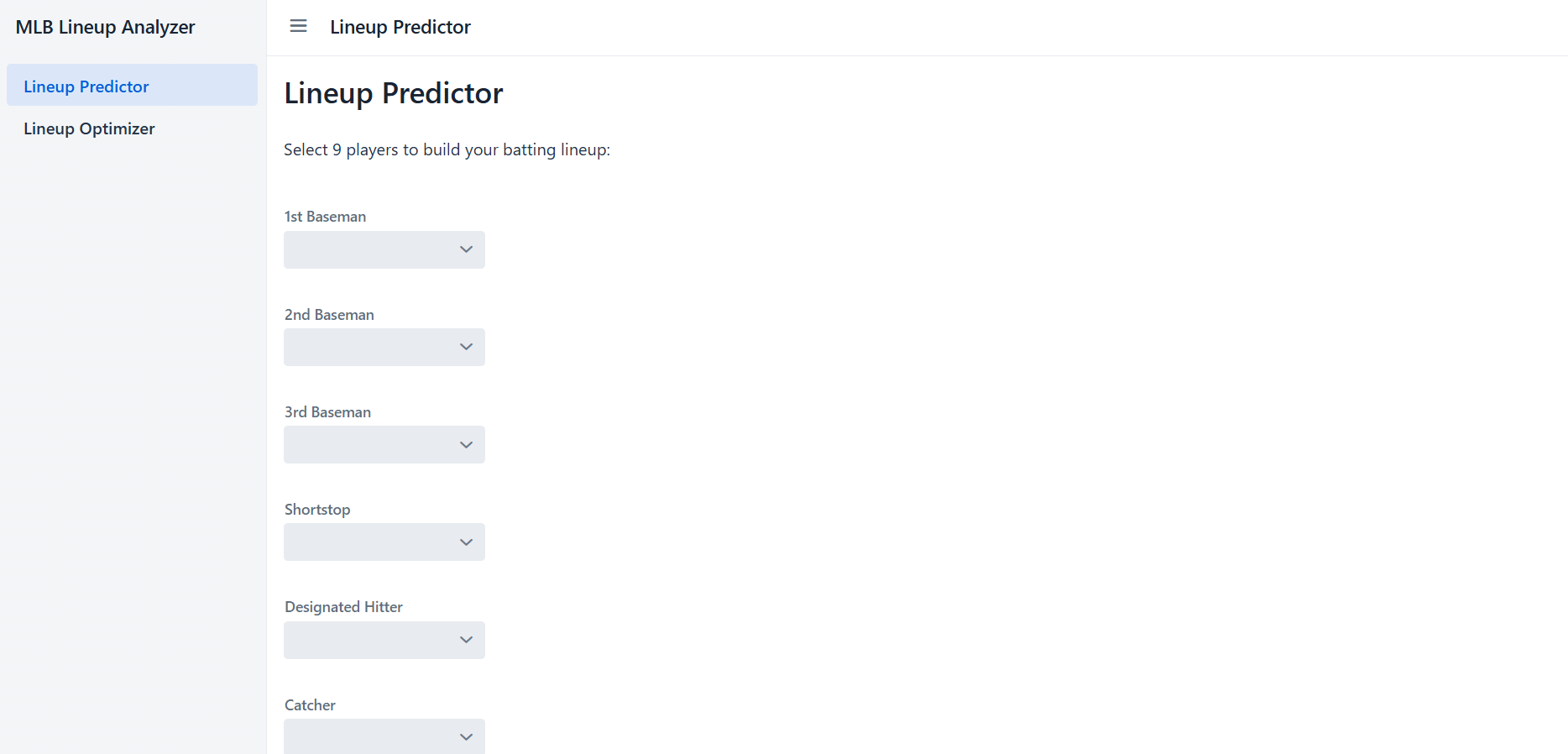
When you first open the application you are brough to this view. This first page is the Lineup Predictor that we created. As I stated earlier, the user will choose one player for each of the nine positions possible. We specifically added a section to our code to only fill the drop down boxes with the players that actually play those positions.

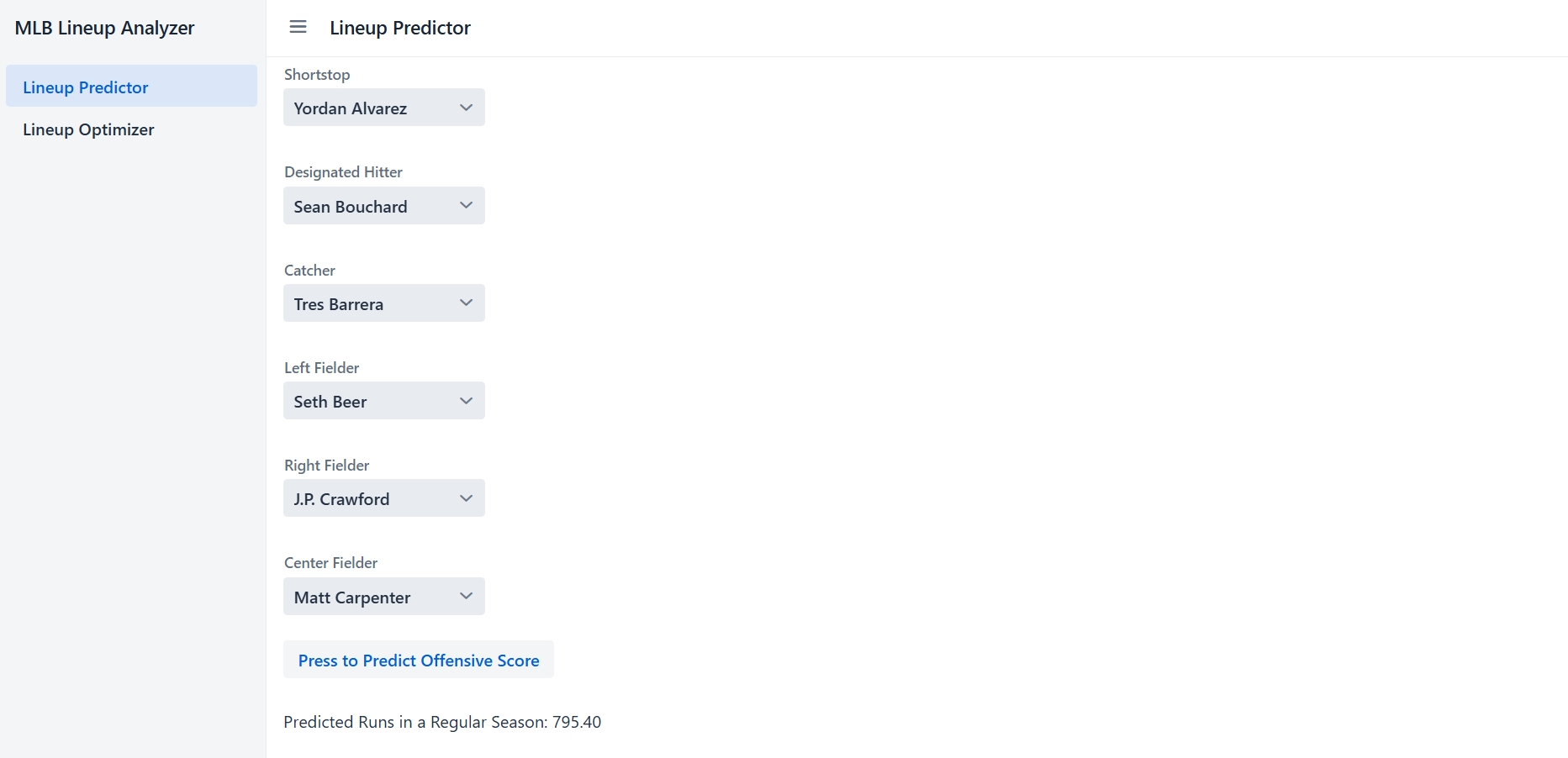
This is an example of what an output could look like given the players selected above. We used the main drivers for each of the statistics that calculated the total score, but the highest weighted driver was the OPS. Our reasoning behind this summed up to a player having a higher chance of scoring a run if they were on base and getting hits more often. As you can see, the predicted runs in one regular season for this specific set of players was 795.40, which is right on average with current statistics that we were able to find.

Being that the expected user of this application would be a human, we had to account for some sort of error. If the user would accidentally not fill all nine of the drop down boxes, a short message would appear in the bottom left hand corner of their screen saying, “Please select a player for all 9 positions!” We were able to implement this using Vaadin’s Notification.show() method and this added a much needed safety net to the error aspect of our project.

Lineup Optimizer:

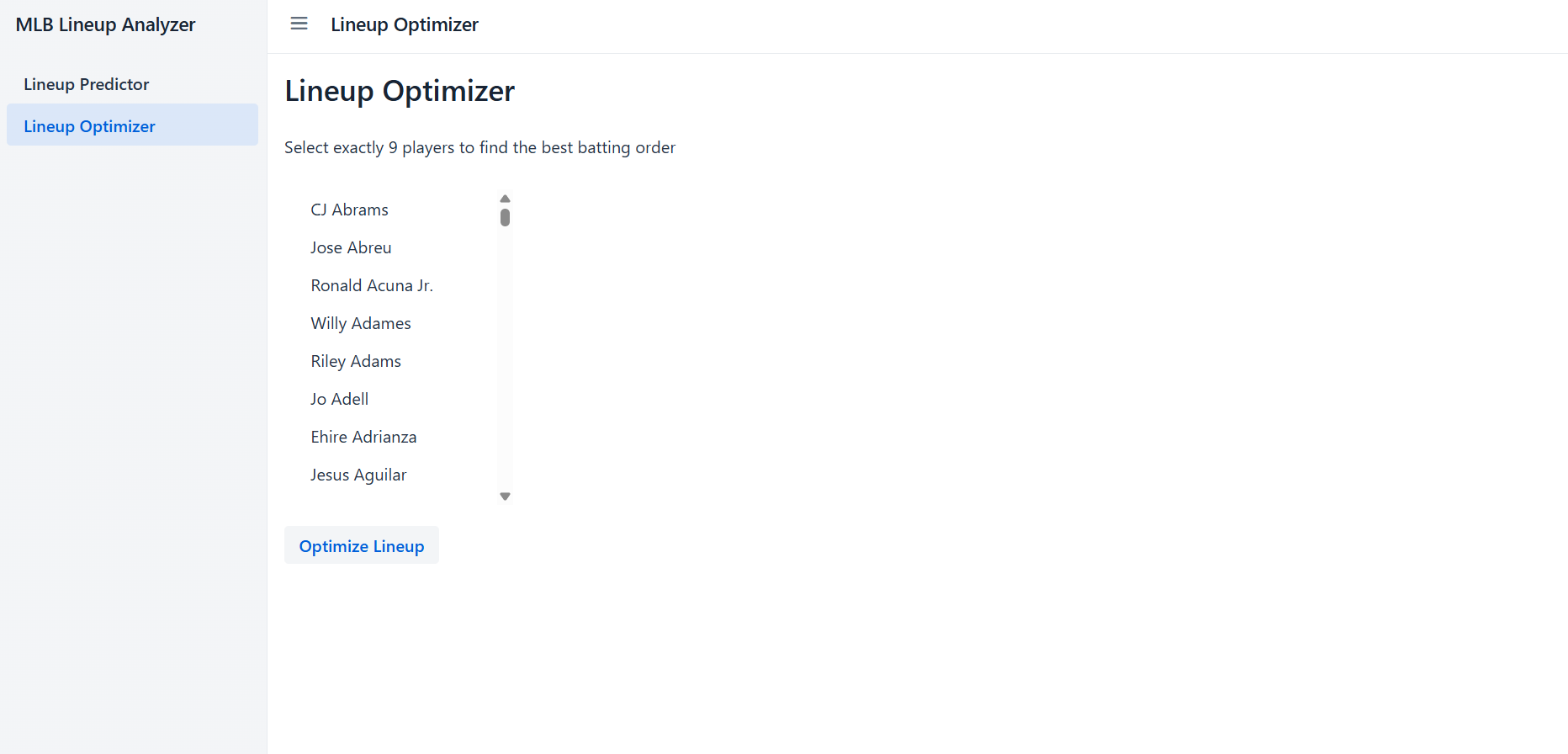
After navigating to the next page of our application using the page menu on the left hand side of the User Interface, you will be able to see a very simple and straight forward functionality. To use this part of the application, the user will select nine different players from the single drop down box. The user may also choose to type in a specific name that they would want as the single drop down box for this page is filled with every single player that played in the MLB during the year 2022.

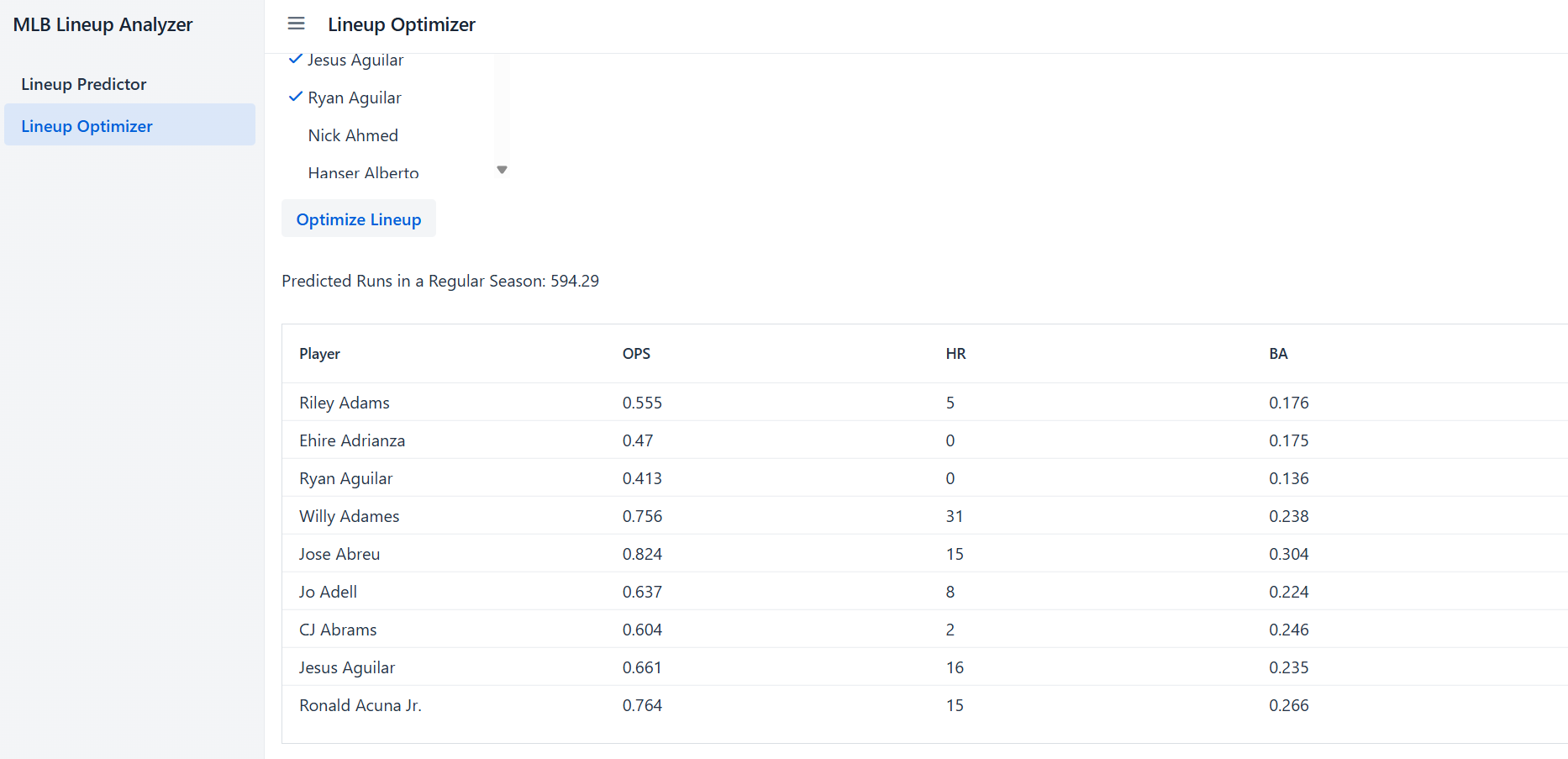
Similar to our Lineup Predictor, an output is shown on the user’s screen after clicking the “Optimize Lineup” button below the drop down box. The output shown on this page includes the total number of runs predicted for their season, the optimal batting order for the players chosen, as well as each player’s individual OPS, HR, and BA statistics for the 2022 season.

Similar to what we did with the Lineup Predictor, we included an error message that will show the user if they have selected the wrong number of players.